

User Action Condition
Node Type
Description
Proceed to the next stage of an automation based on the response provided by an approver of your Request Approval Action; this node is used in conjunction with this action node.
When to Use
Use when you want an authorized party to provide instruction on how you want to proceed with an Automation. For example, a manager can provide their approval for a sensitive or costly action, such as a large refund or payout.
How to Use
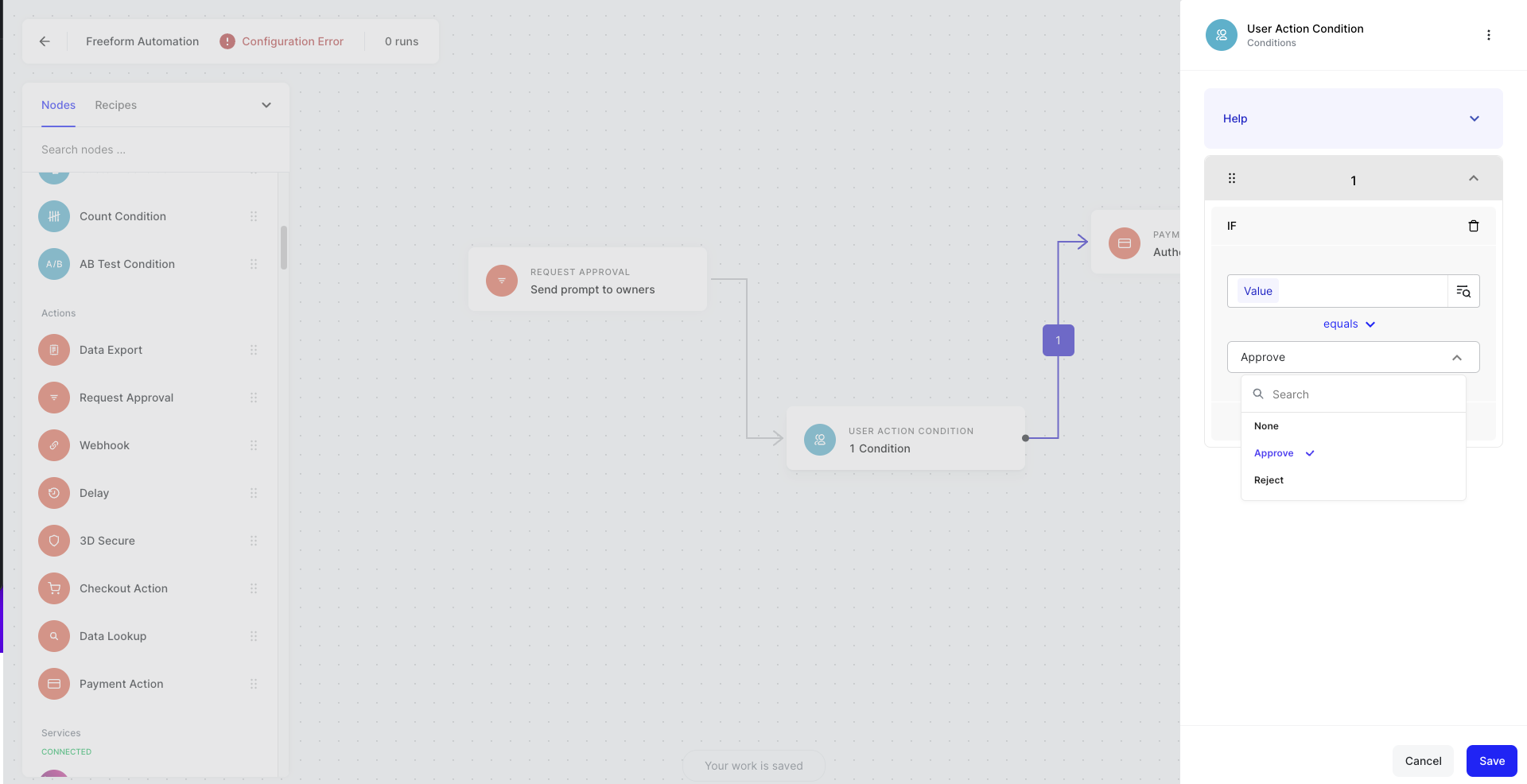
The User action condition must be used proceeding a Request approval action. The options available to configure the User Action condition will be defined by the Request Approval Action.
- Connect User Action Condition to your Request Approval Action
- Define your Request Approval Action node
- Connect your User Action condition to the next node in your automation to create at least one logical branch
- Click on User Action condition node to see the configuration modal
- Click IF to create conditional logic
- Define a branch by selecting the object selector icon
- In the object selector, choose the Request Approval Action node
- Select
Value, this is the response value that will return when an Approver provides a response - Repeat for any other branches
- Hit save
Example Use Cases
- When you receive a request for refund from a webhook, proceed with refund when it’s approved
- When a transaction is suspected of being fraudulent, allow a manager to decide to decline, authorize, or auth and capture after reviewing it manually