

Start Payment Processing Trigger
Node Type
Description
A Payment Processing Trigger is used to kick-off your Payment Processing Automation. When you call the startIntent or authorisePayment API you include the flowId corresponding to your payment flow, this will trigger your Payment Processing Automation. Check out our getting started guide for Payments here.
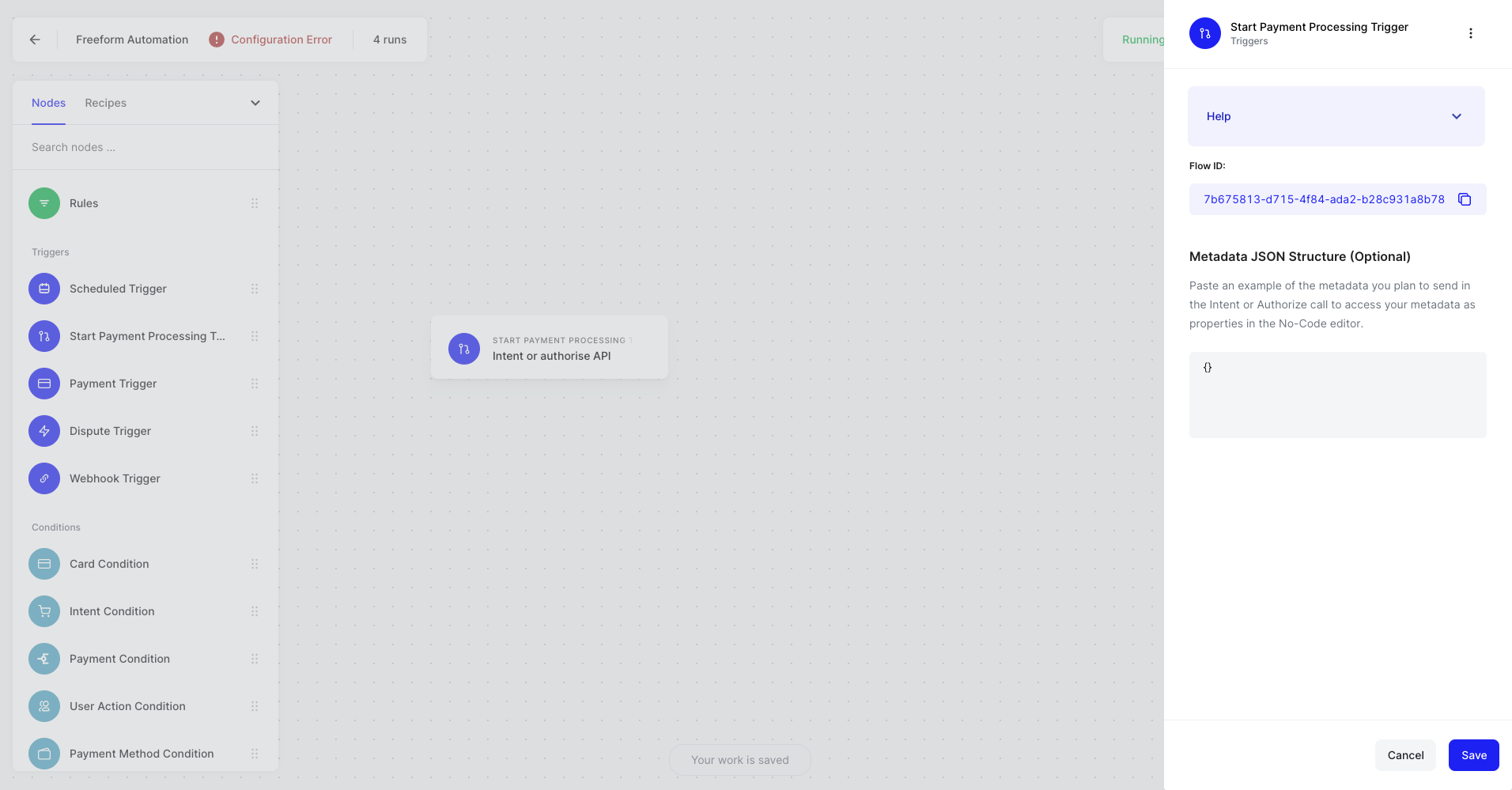
Each Payment Processing Automation comes with a unique flowId. You can retrieve this value by clicking on Payment Processing Trigger as shown in the image below. Or alternatively navigate to Settings -> Developers in the webapp.
When to Use
Used to trigger every Payment Processing automation - so every Automation you build that involves the processing of a payment will be have to use this Trigger.
How to Use
Simply drag on the Payment Processing Trigger as your first node.
Optionally, you may define metadata to use within your Payment Processing Automation. Paste a sample of your JSON payload into the Metadata JSON Structure of the Payment Processing Trigger node, and you'll be able to access these defined variables downstream in your automation when defining variables.
{
        "id": 1,
        "products": [
            {
                "discountPercentage": 8.71,
                "discountedPrice": 55,
                "id": 59,
                "price": 20,
                "quantity": 3,
                "title": "Spring and summershoes",
                "total": 60
            },
            {
                "discountPercentage": 3.19,
                "discountedPrice": 56,
                "id": 88,
                "price": 29,
                "quantity": 2,
                "title": "TC Reusable Silicone Magic Washing Gloves",
                "total": 58
            },
            {
                "discountPercentage": 13.1,
                "discountedPrice": 70,
                "id": 18,
                "price": 40,
                "quantity": 2,
                "title": "Oil Free Moisturizer 100ml",
                "total": 80
            },
            {
                "discountPercentage": 17.67,
                "discountedPrice": 766,
                "id": 95,
                "price": 930,
                "quantity": 1,
                "title": "Wholesale cargo lashing Belt",
                "total": 930
            },
            {
                "discountPercentage": 17.2,
                "discountedPrice": 994,
                "id": 39,
                "price": 600,
                "quantity": 2,
                "title": "Women Sweaters Wool",
                "total": 1200
            }
        ],
        "total": 2328,
        "totalProducts": 5,
        "totalQuantity": 10,
        "userId": 97
    }
Example Use Cases
- Trigger a standard e-commerce flow
- Include JSON body with meta data at checkout, have those meta data variables available in your automation to build further logic