

Payment Method Condition
Node Type
Description
Define the next stage of your automation based on what payment method used.
When to Use
Use to route to the appropriate payment processor based on user’s choice of payment method. Can also be used to define any other action or condition based on payment method choice.
How to Use
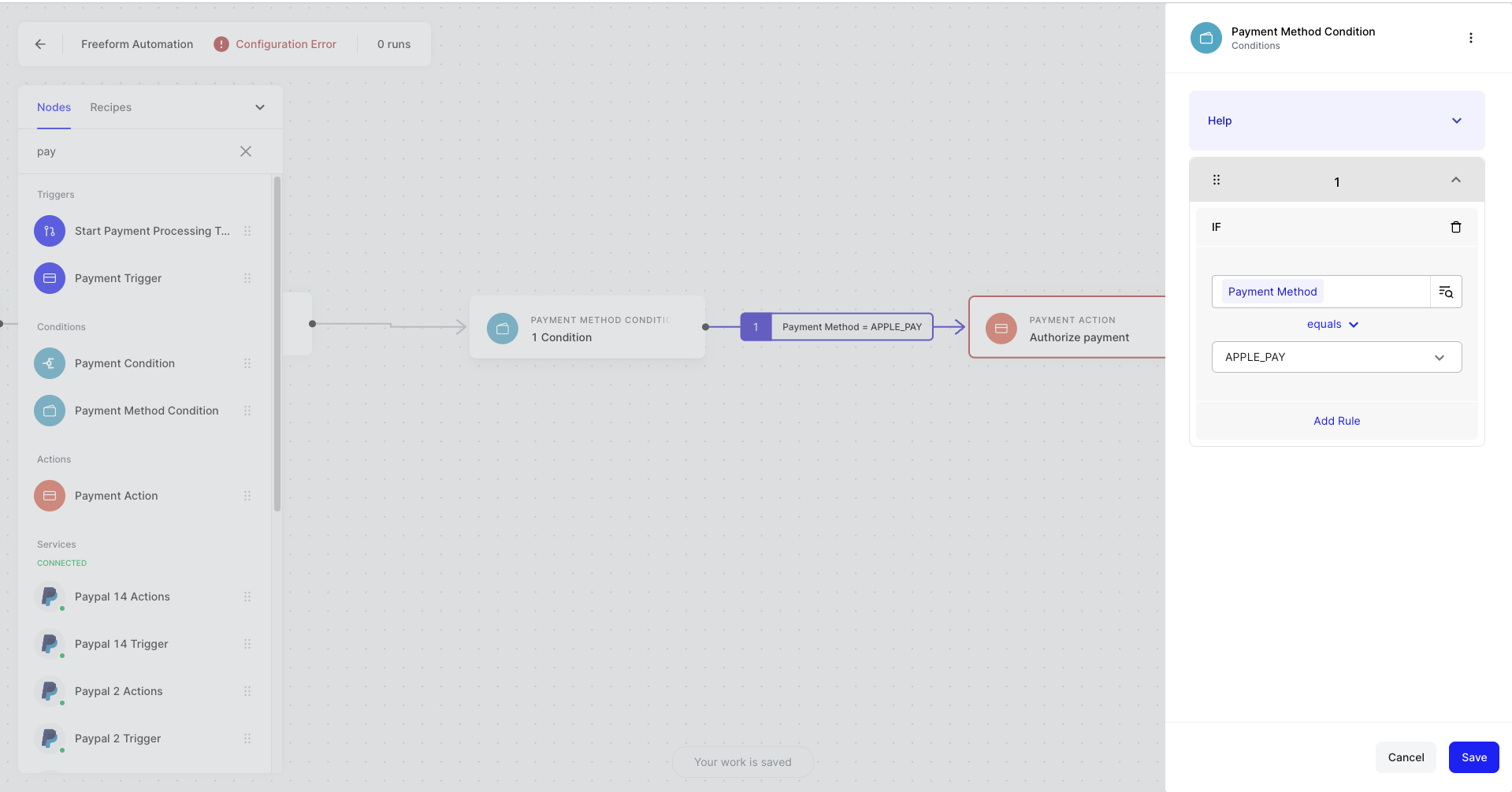
- Drag on the Payment Method condition to your no-code canvas
- Connect your Payment Method condition to the next node in your automation to create at least one logical branch
- Click on Payment Method condition node to see the configuration modal
- Define a branch by selecting the object selector icon
- Choose an Payment Method object you wish to create a condition rule about
- Select your conditional argument (e.g., greater than, equals, in-list)
- If applicable, complete your conditional argument by providing a value to compare your object to
- Repeat for any other branches
- Hit save
Example Use Cases
- If payment method = credit card, route through Stripe
- If payment method = Klarna, process through Klarna