

Dispute Trigger
Node Type
Description
A dispute is a type of consumer protection mechanism where if either the issuer or cardholder deems a transaction to be unauthorised or illegitimate, funds can be removed from the merchant’s account and returned to the cardholder. This can be costly for merchants both from a price (in the form of lost merchandise and a chargeback fee which can range from $5 to up to $100), and also time perspective where the merchant must gather evidence to support their case.
When to Use
Use when creating dispute automations. We've built this trigger so that you can define an Automation for each life-cycle of the dispute process. So whether it's a new opened dispute, to a won dispute and every status in-between, you can create specific Automations to expedite and streamline your dispute operations.
How to Use
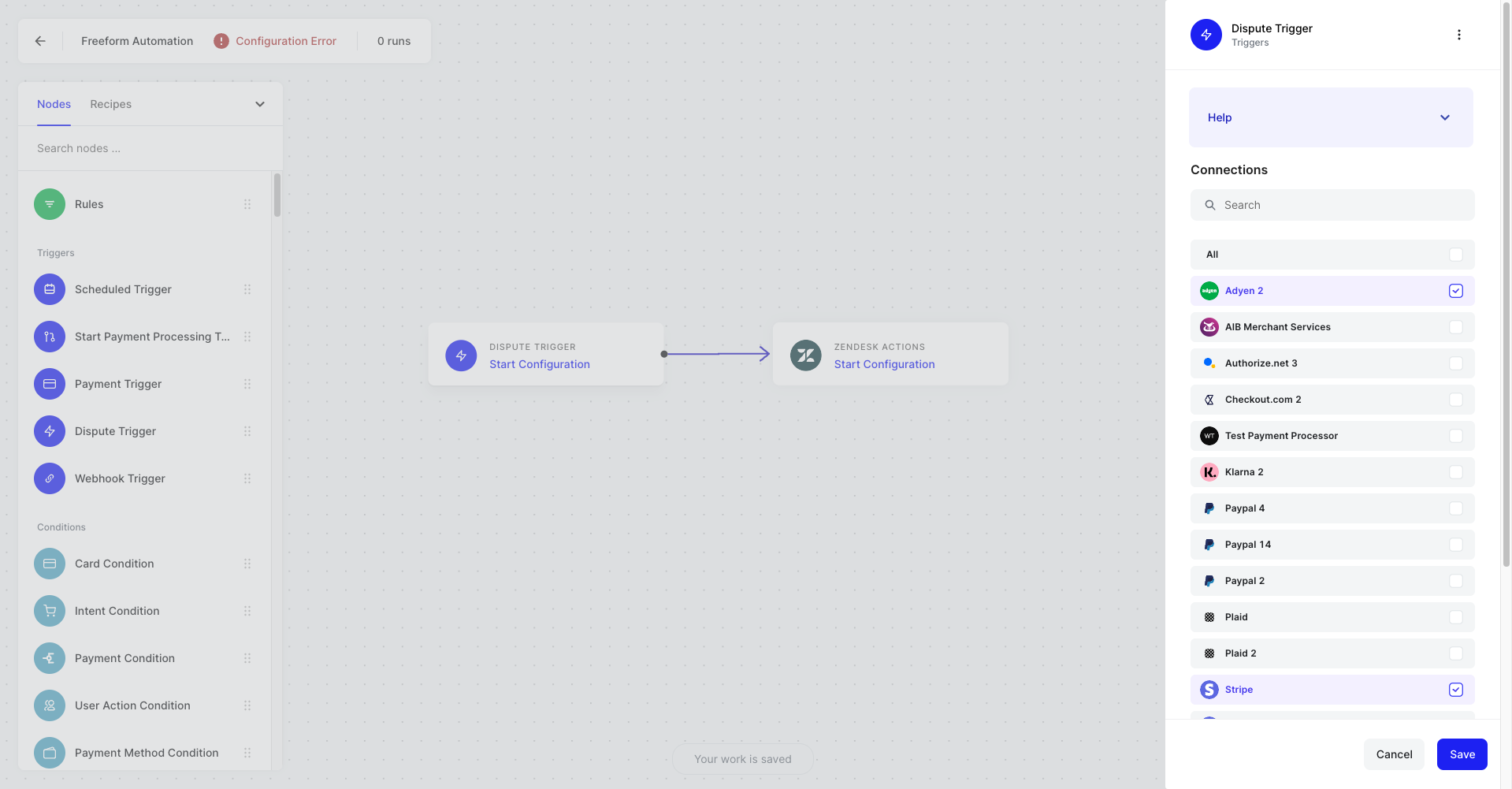
First, start by selecting the Payment Processors you want to monitor for your Dispute Action. Note that you’ll only see the Processors that you have previously authenticated as Connections. You can add additional Processor Connections from the Dispute Trigger configuration panel.
Next, choose a specific Dispute Event that should trigger your Automation. Across the Processors that WhenThen supports, we’ve mapped each Processor’s dispute status to the following common Event types within WhenThen:
Dispute closed: This dispute has been closed or cancelled by the customer or issuer.
Dispute created: A customer requested a dispute via their card-issuing bank
Dispute updated: Anytime there is a status change for a dispute
Dispute Need response: A dispute that requires a response from you
Dispute under review: You have submitted a response against the dispute. The response is now being reviewed by the network
Dispute won: Indicates that the bank decided in your favor and overturned the dispute. In this case, the chargeback is reversed and the original purchase amount, plus the dispute fee, are credited back to your account
Dispute lost: Indicates that the bank decided in the account owner’s favor and upheld the dispute. In this case, the refund is permanent and the dispute fee is not returned
Dispute refunded: You have refunded the customer for this dispute.
Example Use Cases
When a dispute is newly opened from any of your Payment Processors, create a support ticket in your CS, and send a notification to your slack support channel