

Braintree
Node Type
Description
Braintree is a full-stack payments platform that makes it easy to accept payments in your app or website.
When to Use
The payment gateway node is a vital component of your payment orchestration workflows. This node should be included in your workflow when you wish to have specific processors execute your payment actions.
How to Use
To use the payment gateway nodes, you simply drag the node onto the no-code canvas and connect it up to your workflow.
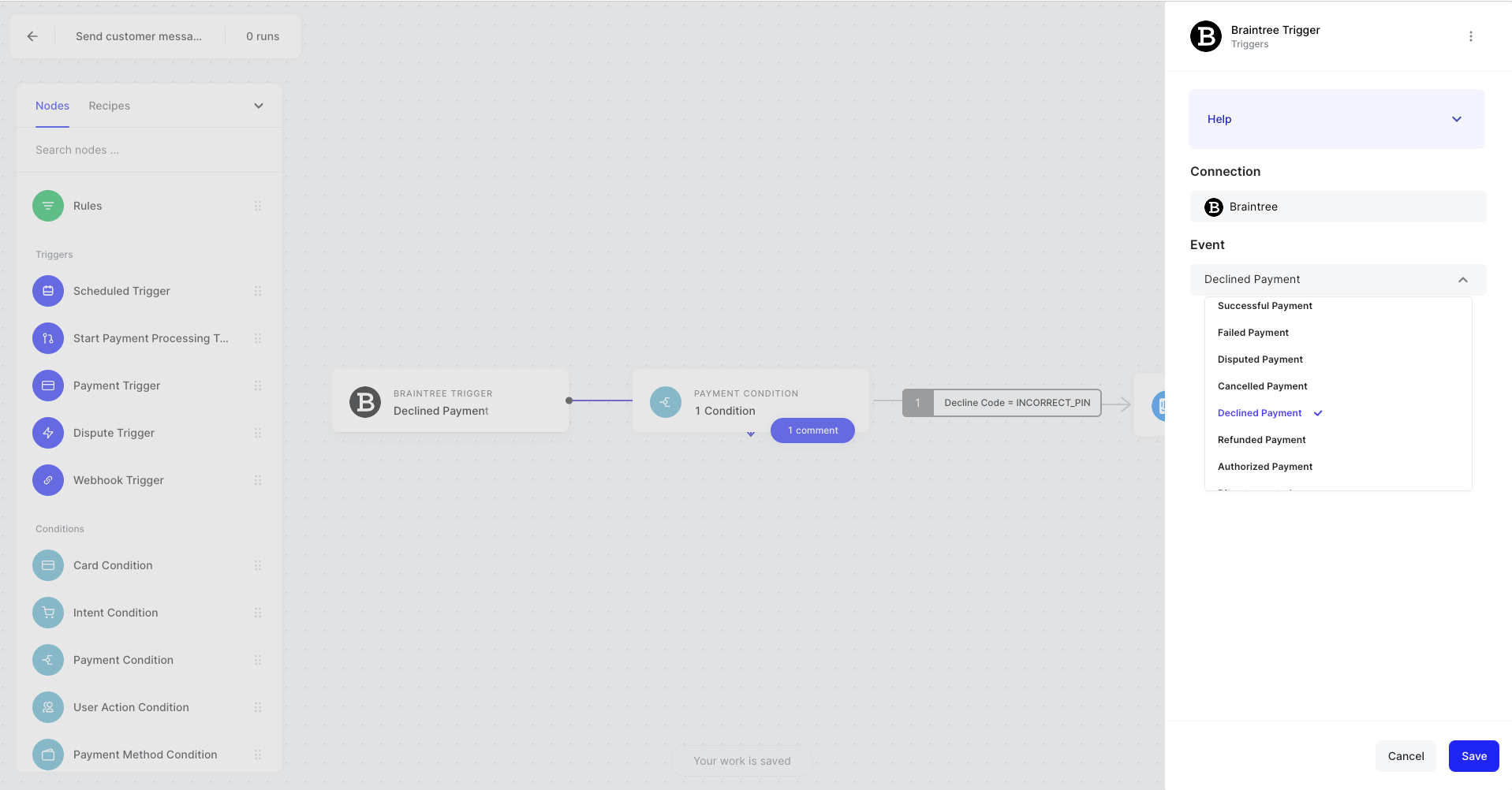
To configure the node for the workflow, click the node itself and a panel on the right-hand side of the screen will appear. Here you will be able to configure what event you want to take place such as:
For Triggers:
- Authorized Payment
- Successful Payment
- Failed Payment
- Disputed Payment
- Cancelled Payment
- Declined Payment
- Refunded Payment
- Dispute created
- Dispute updated
- Dispute won
- Dispute lost
- Dispute refunded
- Dispute needs response
- Dispute under review
- Dispute closed
For Actions:
- Authorize Payment
- Update Payment
- Create Payment Issue
- Add Comment
- Capture Payment
- Decline Payment
- Refund Payment
- Cancel Payment
Example Use Cases
Decline payment if it’s from USA.